

Why I decided to create an alternative to Aftershoot and Narrative Select
It all started when I got that dreaded email from Adobe notifying me that, once again, the price of their Photography Plan was going up (and not by a small amount either!)...it made me really start to think about, and take stock of all the subscriptions I currently pay for as part of my photography business. Turns out, it was much more than I thought I was paying for every month!
And to really rub salt in the wound, some of the services that I was using Free Tiers for decided to absolutely destroy their free offerings and basically tried to squeeze everyone into costly monthly subscriptions to get the features they lured people in with (which, hey, I get it and I respect the hustle - but my wallet doesn't).
The first one to break my heart, and which inspired this journey to build this app, was Narrative Select.
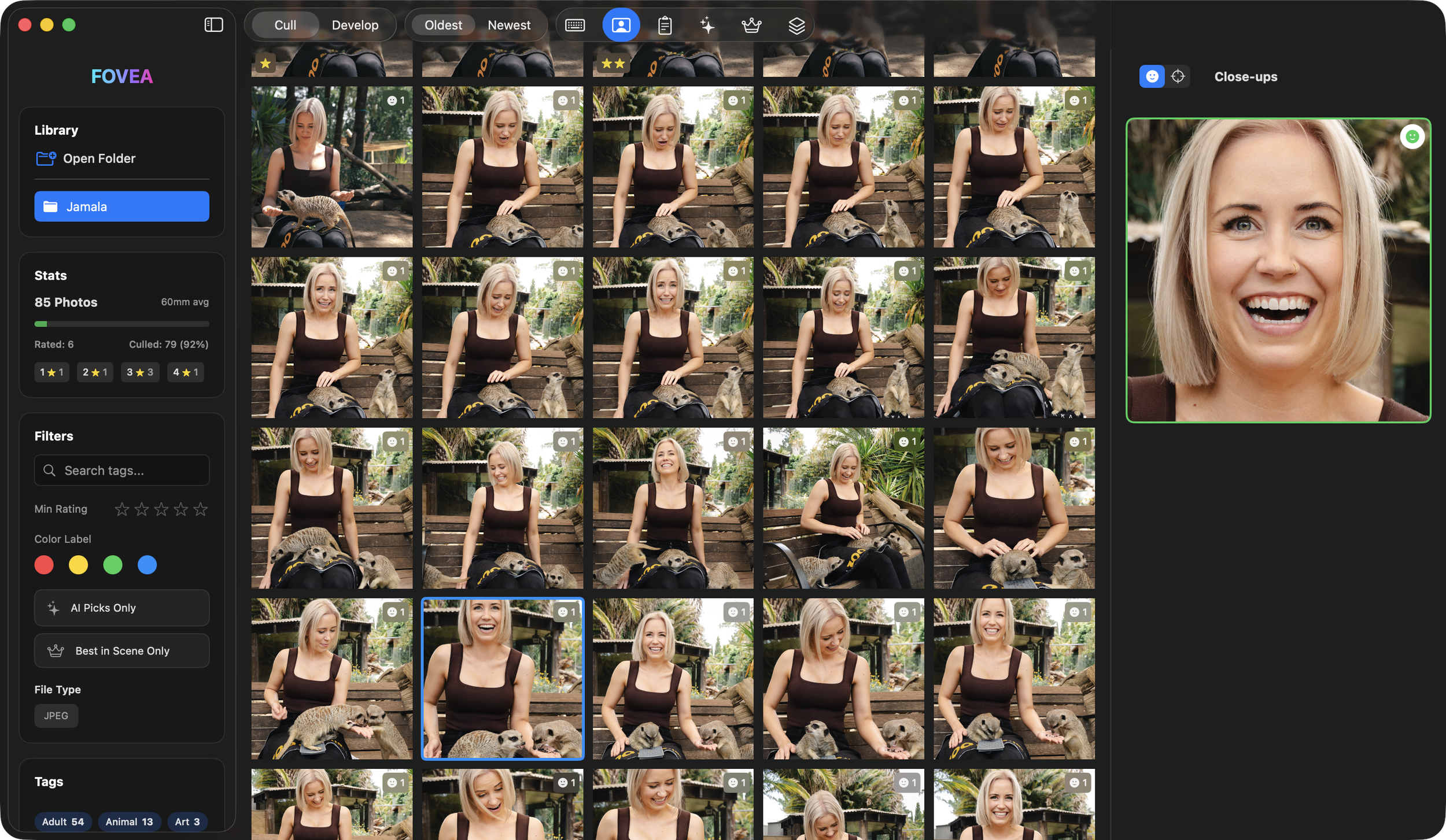
I first discovered Narrative Select a few years ago and was immediately drawn in by the close up facial recognition panel that allowed photographers to immediately see close ups of all the people in an image - removing the need to manually zoom in and assess each individual face (which is obviously VERY time consuming). To my surprise (and delight), there was a free plan that allowed people to use this feature - amazing! But then...just as I was using it as part of my workflow, they ripped this feature from the Free Tier and now the cheapest way to get that feature is to pay around $20USD/month (from memory). I just can't justify that amount every month for a culling tool.
So, I cancelled my free plan with Narrative Select, and defaulted to using Adobe Bridge to sort through and cull my photos. And look, it isn't that bad...it just lacks intuitive, modern features. I used this solution for about 2ish years before deciding that maybe I need to just try and build a culling tool for myself.
The Beginning of the Build
I set out to essentially create an application, in its simplest form, to be able to display images and identify faces in the images to display in a close up panel (just like Narrative Select). I had very low expectations on the functionality, the UI, and the overall performance of this app - which I was ok with because I never planned for anyone other than myself to use it.
To my surprise, after around a month of tinkering with it, I finally had it working (as a Minimum Viable Product). Job complete (I thought).
I showed a couple of friends and they immediately said that they would love a tool like this and convinced me that there was a need for an alternative to Narrative Select and Aftershoot that appealed to people who were more budget conscious. So, like any delusional optimist, I decided to take that challenge on.
Fovea was Born
Fovea (pronounced Foe-Vee-Uh): a tiny area in the back of the eye that is responsible for our sharpest, most detailed, colour-rich vision.
This felt like the perfect name for an app that is focussed on allowing photographers to identify and analyse their catalogs of images to find the best shots from any given shoot.
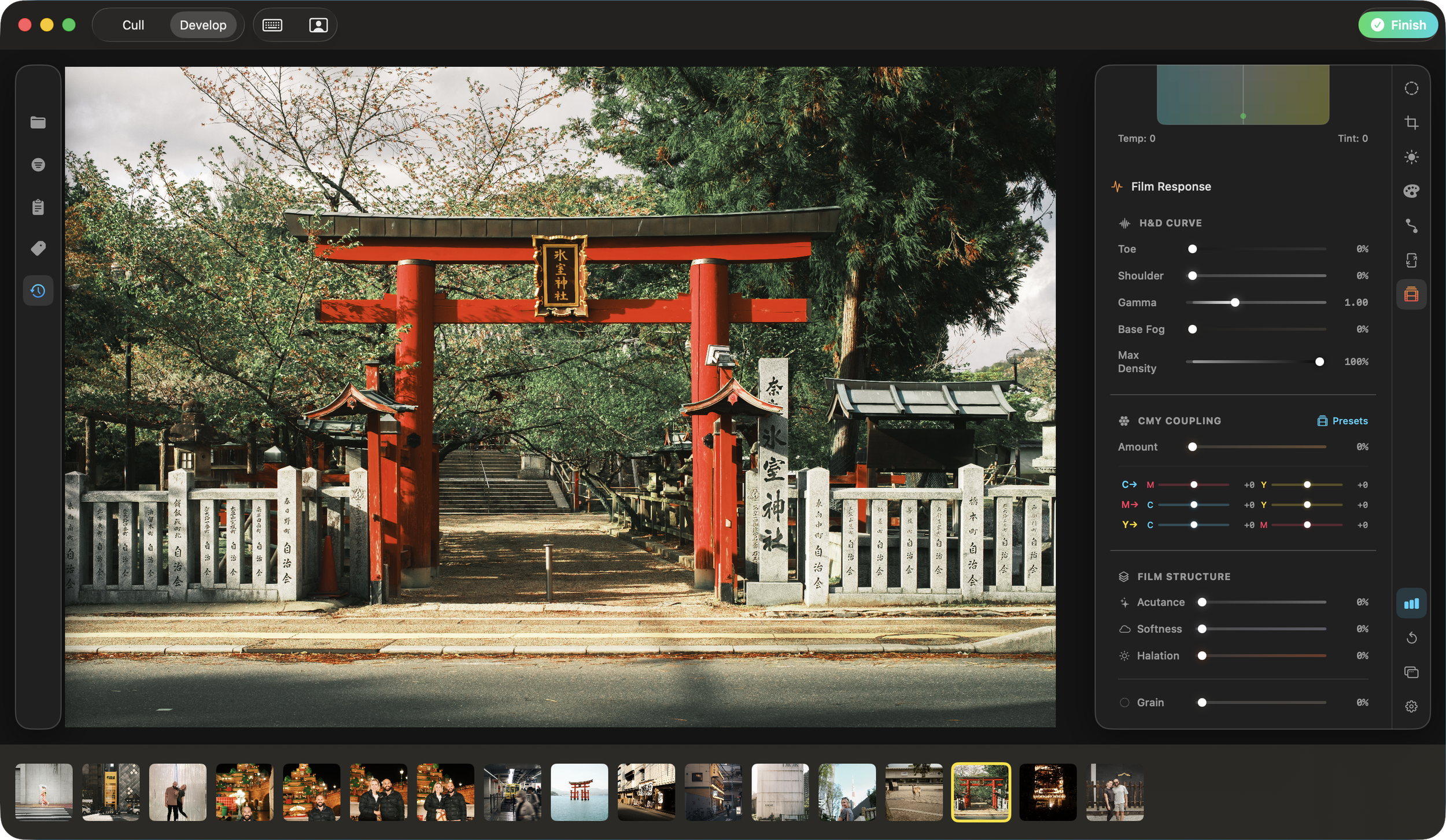
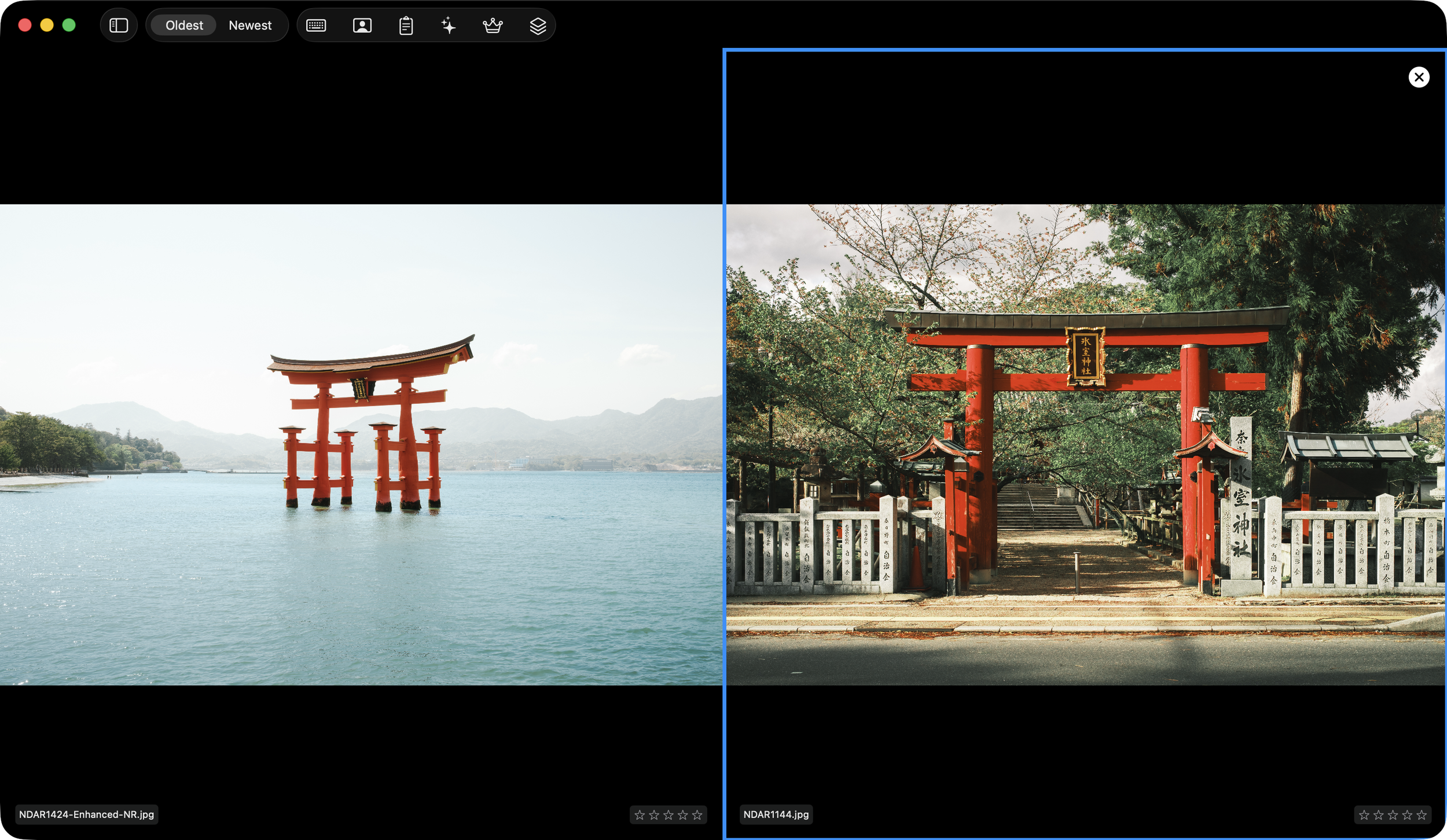
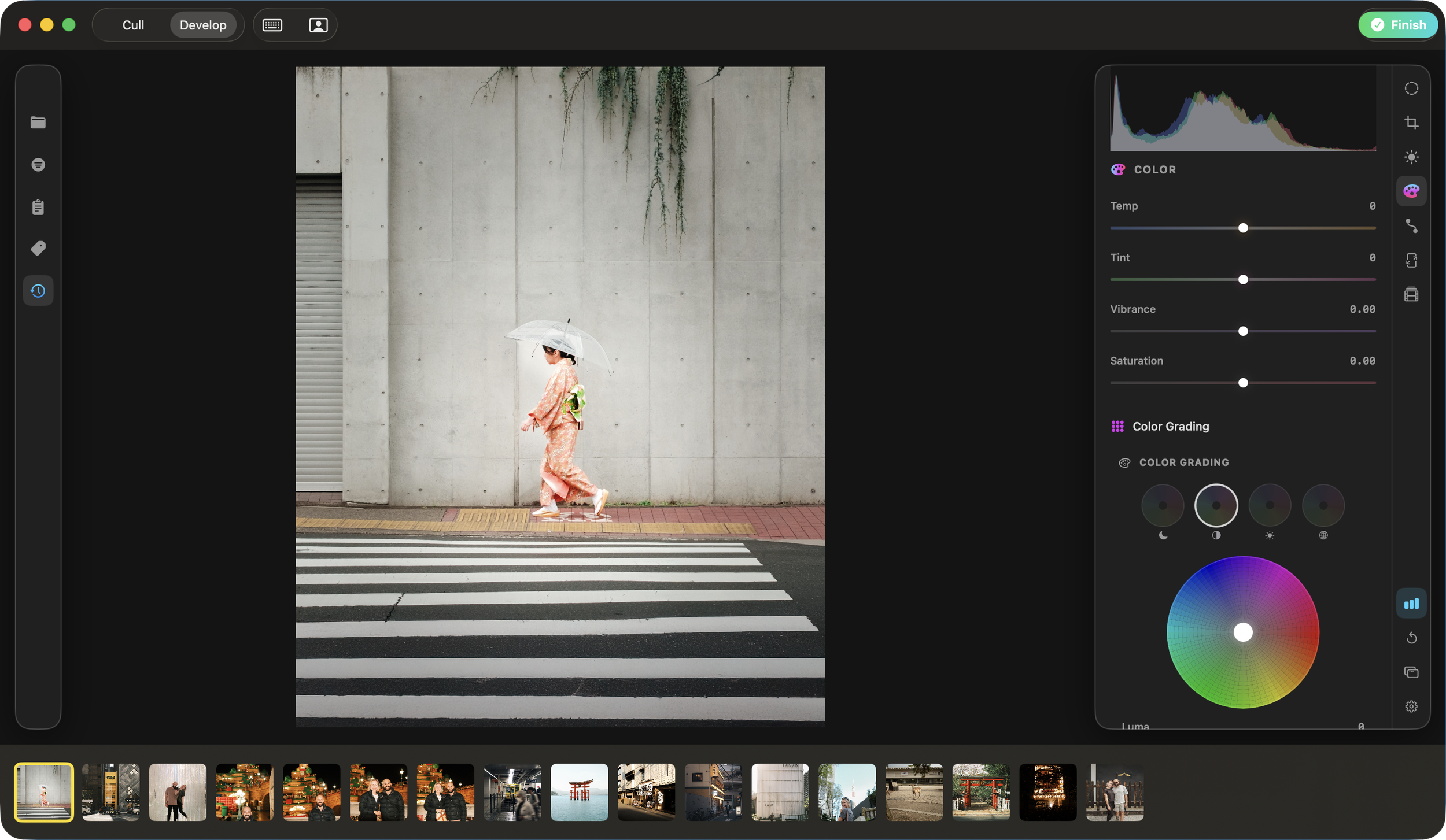
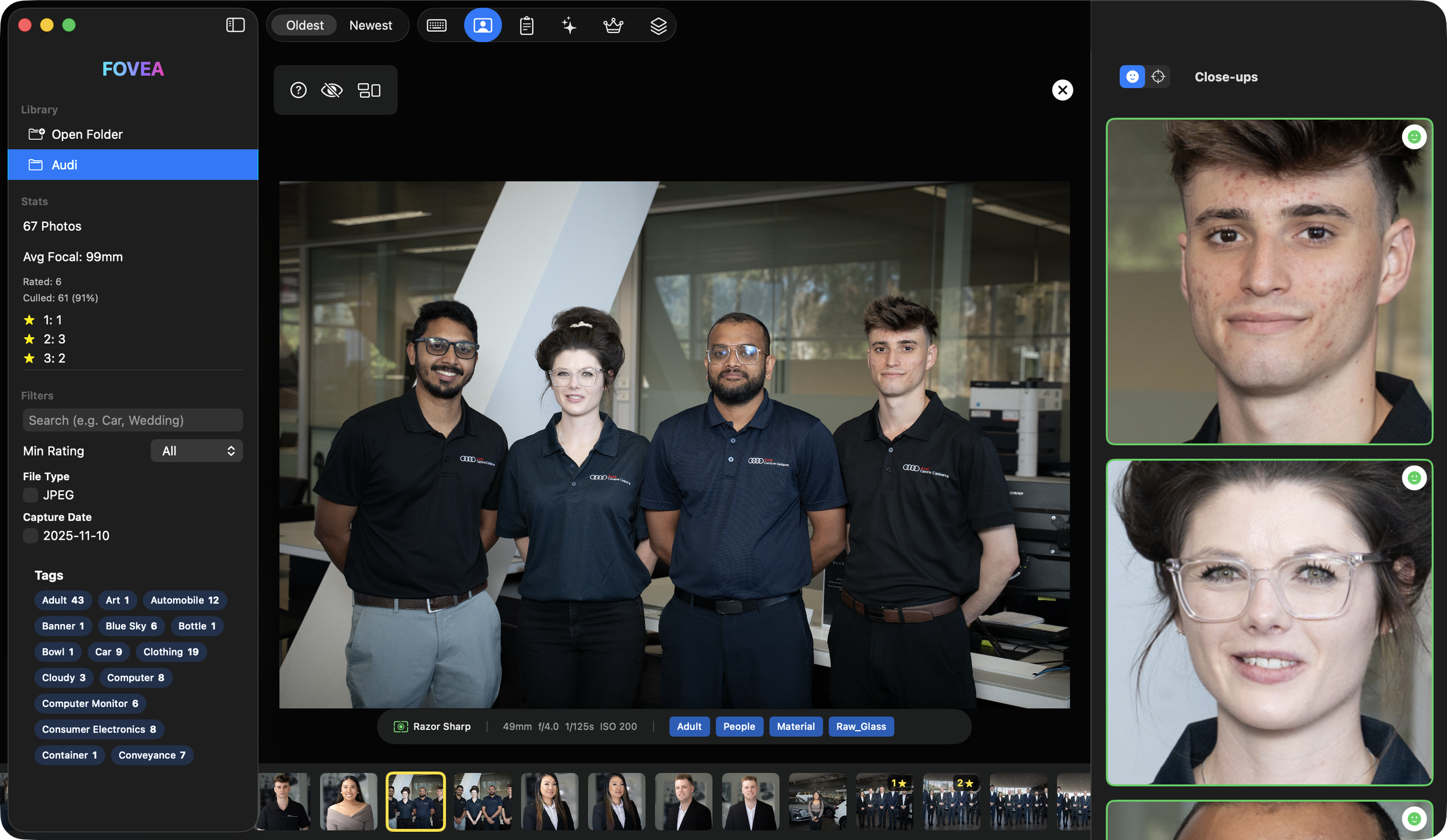
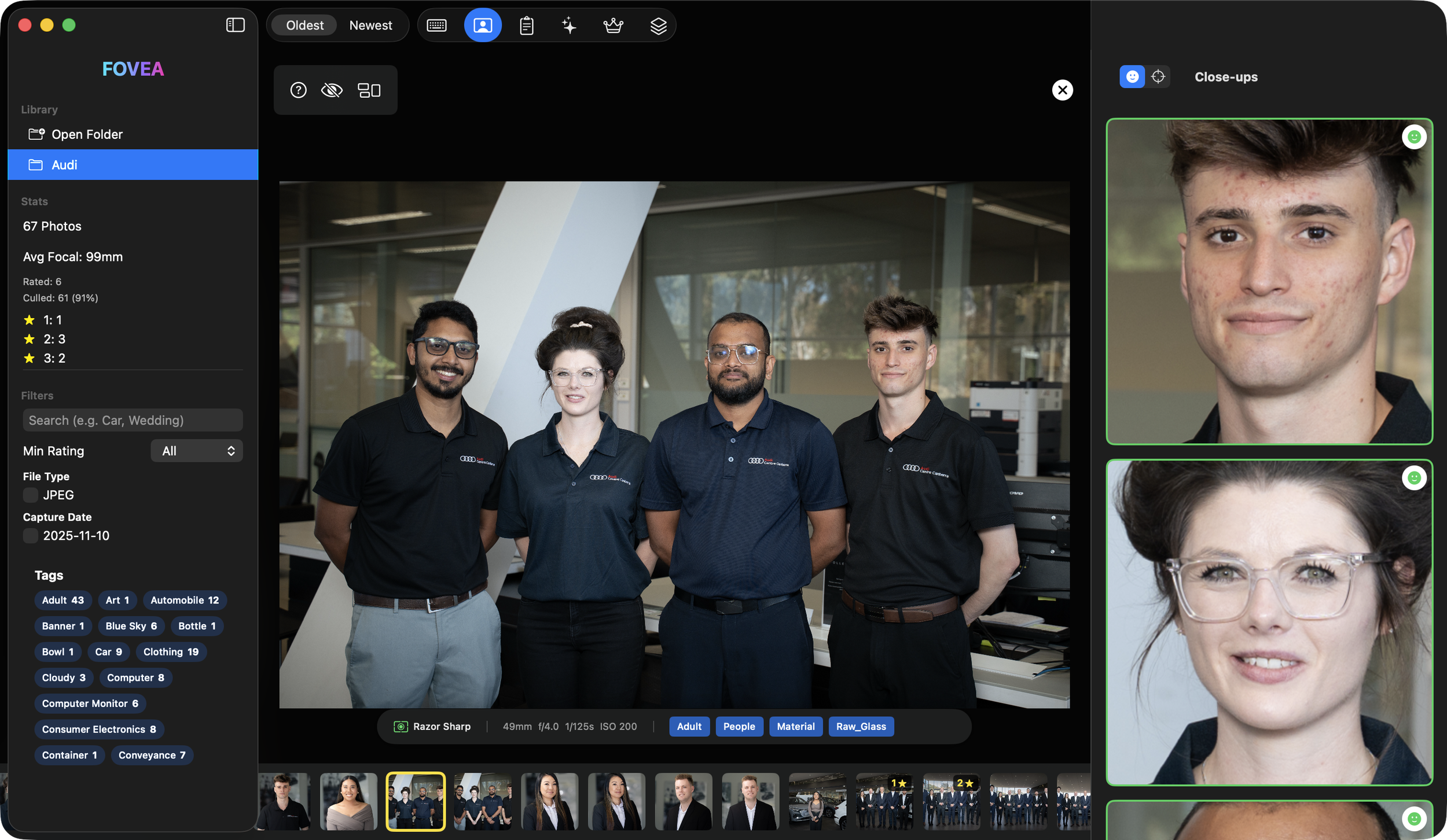
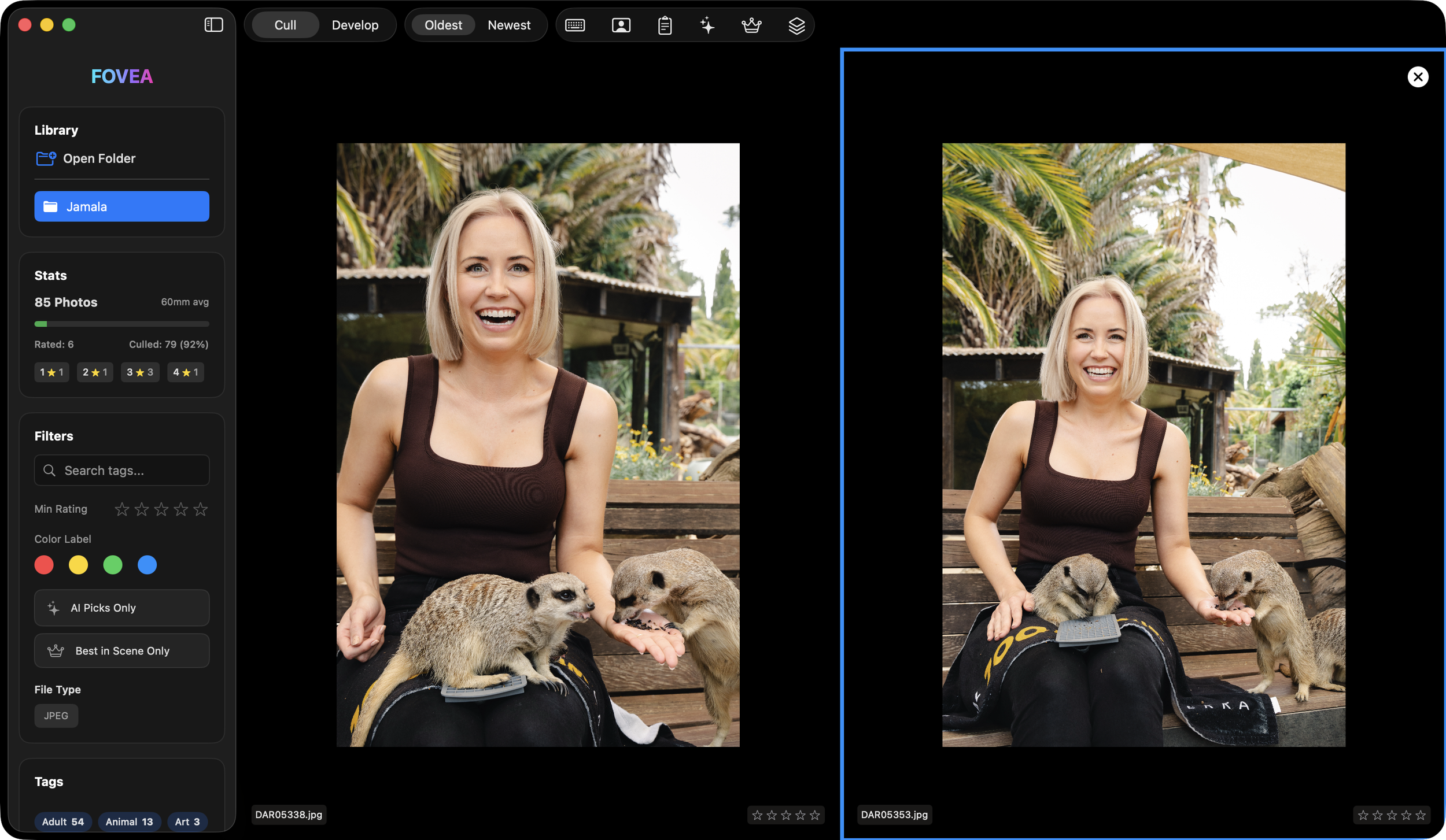
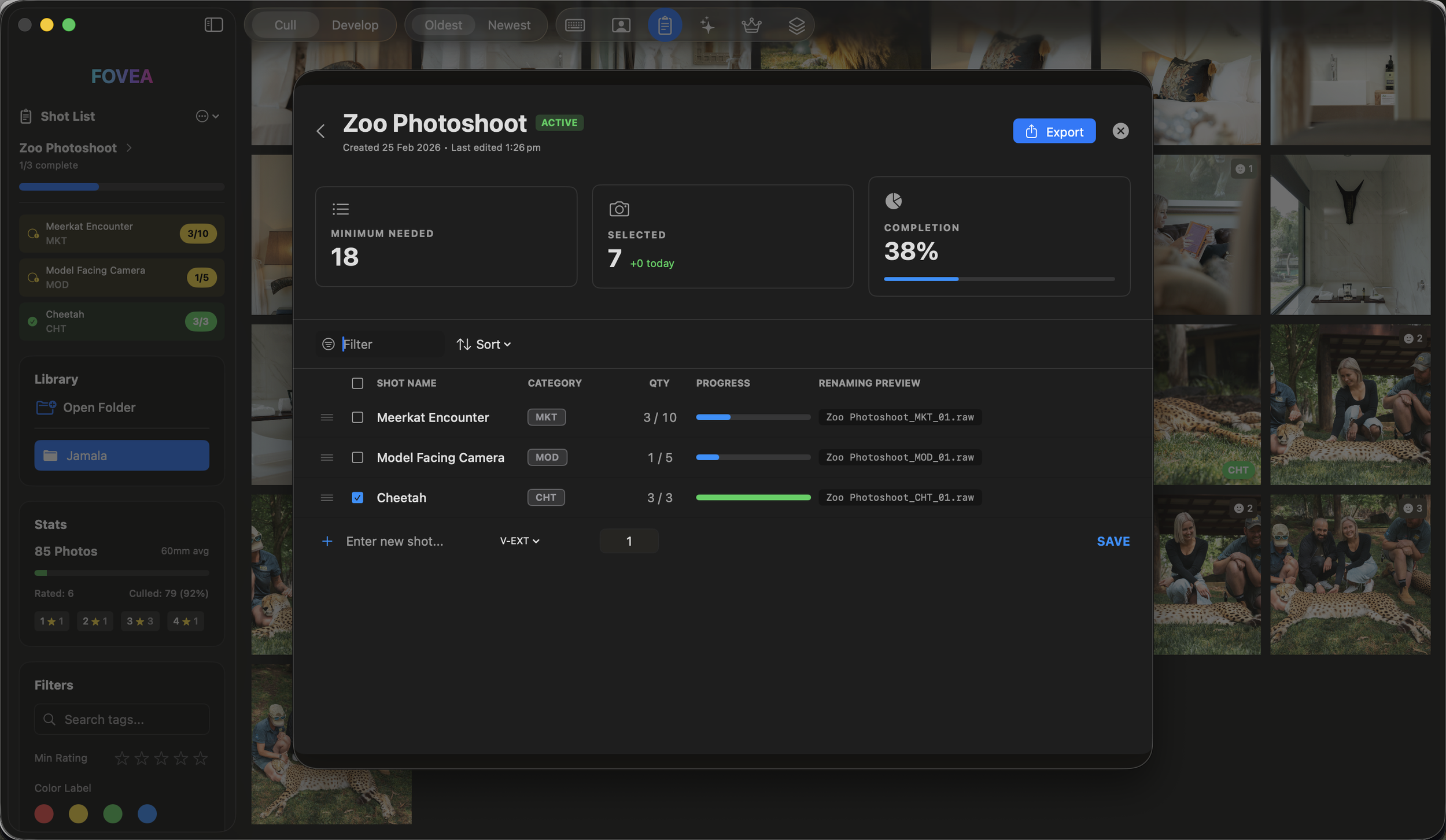
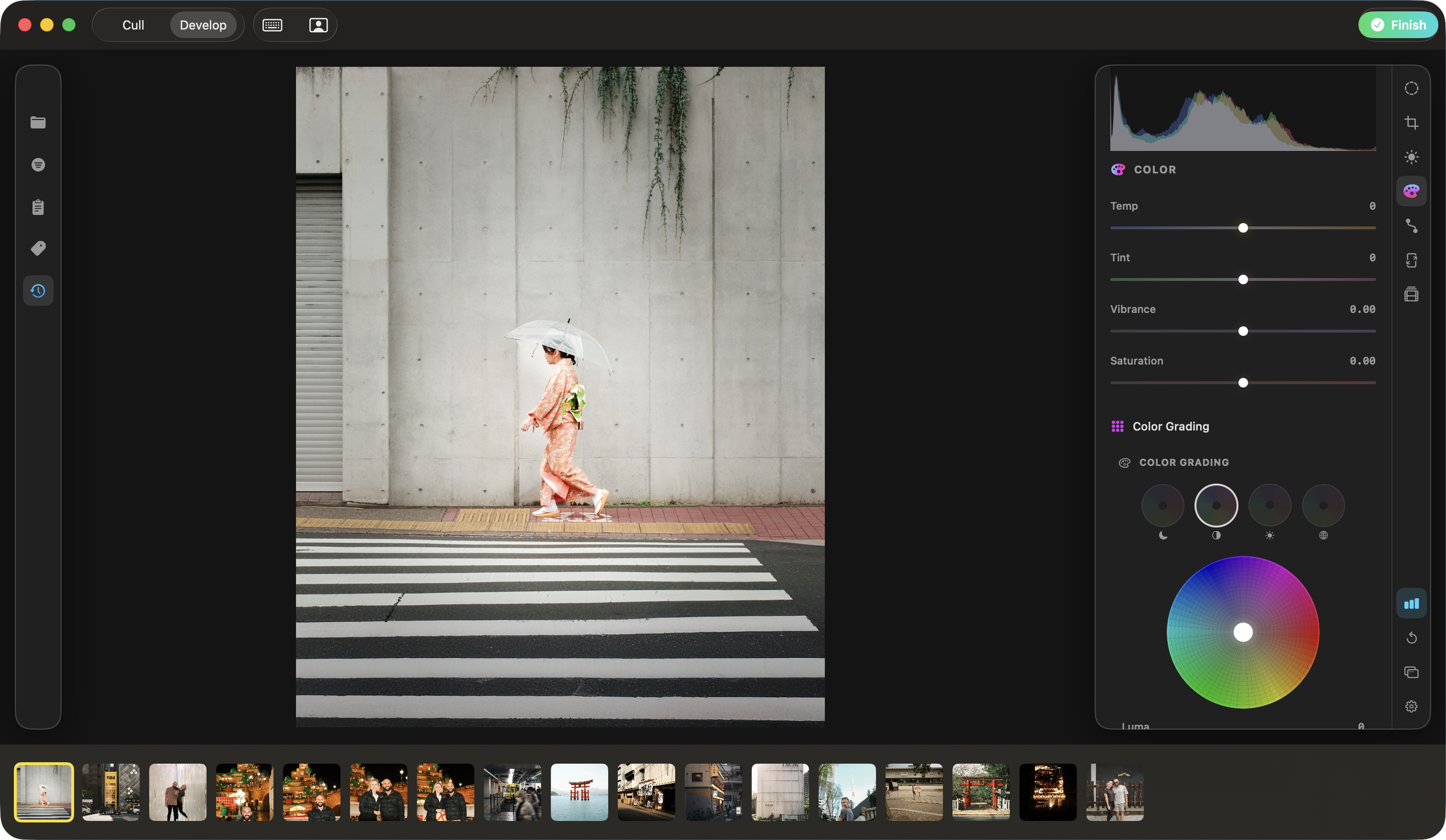
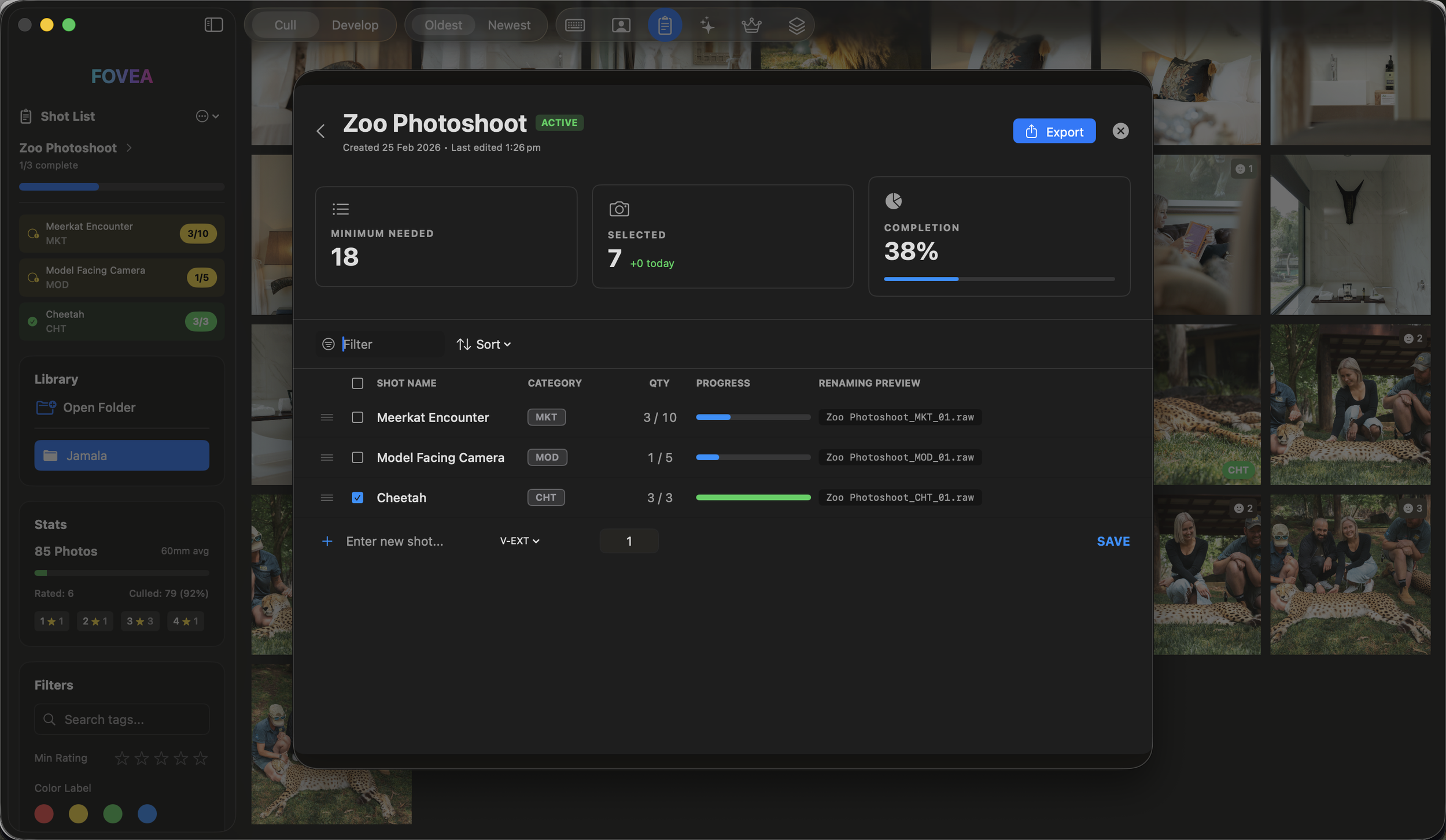
After working on Fovea for several months (and in excess of 350+ build iterations later), I finally had a working version of Fovea that I was happy with. I got a bit excited when I added more and more features, so here are just some of them:
Close-up panel that detects and displays sharpness, how engaging the image is, alignment, and aesthetic scoring
Near instant navigation through RAW files
In-built shot list creation and tracking
Omni-channel crop overlay previews to show how your images would look across different social platforms
Local AI that understands your behaviour while you rate your images, which builds a bespoke style preference algorithm that consistently gets update to help you select the shots it thinks you will like from future photoshoots
Works 100% offline - none of your image data is ever uploaded or used to train AI models that aren't private to you
Fully functional Develop module that allows you to edit your images instead of needing to open up a new application to do that part of your workflow (continually improving and developing this section)
An experimental Content module that allows you to create shareable social assets at the click of a button
How I've decided to price Fovea
Fovea has only recently been launched, so I wanted it to be really easy for people to give it a try and see if it fits in with their workflow without feeling like they have to cough up lots of cash every month. So my pricing is simple:
Monthly with no lock in contract: $10USD per month - 30 day free trial when choosing this option
Annually: $60USD per month (50% cheaper than the monthly option) - 30 day free trial when choosing this option
Lifetime: $150USD (limited time only)
I wanted to encourage people to opt for the annual option as it equates to approximately the cost of a coffee or two per month (which feels really reasonable compared to Aftershoot and Narrative Select's pricing). Current rate for my coffee of choice (Almond Cappuccino) in Australia is around $7AUD.
I would love for you to try out this passion project of mine - click the button below to be taken to the site for Fovea. I am incredibly responsive to any feedback or feature requests and regularly update the app based on what my current users are wanting.